
- 14.1.1. Updating Release Information
- 14.2. Viewing The Release History
- 14.3.1. Discussing The Release Information
Updating Release Information
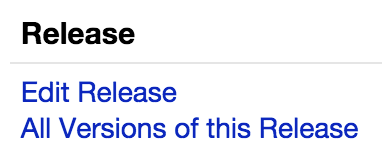
14.1.1. The information in the Discogs Database can be updated at any time, by any logged in user. To update release information, go to the Release page (for example, http://www.discogs.com/release/1) and use the Edit Release link on the top right of the page:
This will take you to the history page (for example, http://www.discogs.com/history?release=1), where you'll find the Edit Release link:
This link will open up the Submission Form, populated with the current release data. You can then edit the data, explain your edit in the Submission Notes and submit your edit to the Database.
Please make sure to read the history before you edit - there may be information that is relevant to your update there .
The guidelines are the same as for adding a new release.
.png)
14.1.2.Mass edit protocol: The same type of edit involving more than five individual releases. Personal knowledge or hearsay is never a justification for a mass edit without additional evidence. This protocol will ensure your updates are acceptable before any changes are made. Undiscussed mass edits are subject to reversion.
A) The more edits needed, the more peer review and consensus is needed.
..1) Post a message in the Database Forum stating your intentions and provide evidence.
..2) Bump your post as needed to increase its visibility.
..3) "Ping" users who may have an interest in the matter (type: @theirusername). It is also helpful to leave a comment with the forum link in the history of the affected page(s).
..4) The post must stay open for a minimum of 72 hours before editing any releases.
..5) At that point, if you have achieved a 75% majority consensus, edits may proceed.
..6) If you followed all of the above and no one has responded, post a statement that you intend to start edits on X date (minimum 24-hour notice) unless there are objections.
..7) If unable to address any existing vote or comment, make note of it when editing.
..8) Linking the forum discussion in the submission notes is required, so users can refer to the discussion.
B) Some edits require a thread, for example, but not limited to:
..1) When an artist or label needs to be adjusted (i.e., merged or renamed).
..2) Creating a company (e.g., series, etc.) that involves multiple edits.
..3) When multiple edits involve removing data.
..4) If it is not clear or there is any conflicting information.
C) Some edits do not require a thread, for example:
.. 1) Correcting a mistake perpetuated via "copy to draft" function (within the same master release),
.. 2) Updating releases due to a guideline change.
.. 3) General cleanup of provable errors, substantiated by images, label page or artist page.
D) If you encounter a possible incorrect or undiscussed mass edit (that was not posted in the forum and lacks evidence), open a forum thread to discuss and invite that user to provide evidence for their edits.
..1) Please be polite, and refrain from personal attacks, focusing on the correctness of the edits.
..2) If the user does not respond within a reasonable amount of time and the edits are confirmed incorrect by forum consensus, they should be reverted (either manually or by an EI vote).
..3) If the user is a repeat offender, submit a support request. See also RSG §1.10 and RSG §20.3.1.
14.1.3. Even if it seems obvious, always try to explain your update fully, using the Submission Notes. This will always be appreciated by other users, and is vital when we need to look back over the submission data's history.
14.1.4. Valid information should never be removed from a submission. If there is valid information in the wrong field, it should be moved to the correct field, not deleted.
Viewing The Release History
14.2. You can see the whole history of edits done to the release on the history page. You can find the link to this page from the main Release page, the Edit Release link is on the top right of the page.
On the history page, you will see an entry for every previous action (oldest at the top to newest at the bottom). On each line, you will see a user name, their action (if there was one, for example, "Submit Release"), their comments, the date when the action happened, and finally, three links: View, Changes and Revert.
- Using the View link, you can see the information as it was at that period in the release data's history.
- The Changes link will show you two versions of the release data side by side.
- The Revert link will allow you to revert (roll back) the release data to a previous version. This option can be used to undo changes. It will load the selected version of the release data into the Edit Release form, where you can submit it (you can make changes as well). As always, please be sure to explain what you are doing to other users, using the Submission Notes field.
Discussing The Release Information
14.3.1. Any user is welcome to discuss any release information on the History / Discuss / Vote page. Simply put your comment in the comment box and hit the "Post Comment" button. All users with the release in their collection, releases contributed or sales list, and their notification option set to "on", will receive an email or PM informing them a comment has been made.
14.3.2. All comments should be on the topic of improving the release information. Comments are not for chatting / arguing with other users, adding reviews of the release, etc.
14.3.3. If you find you have a disagreement with another user regarding the release information, please DO NOT continue a back and forth argument in the release's comments section. Especially, please do not edit the release information back and forth. This makes the release history hard to read, causes annoyance for other users and is not constructive.
The best course of action is as follows:
- Take a break from the release. Leave things for a few days, and see if you feel as strongly about things when you come back. Often, an issue that seems very important will seem less significant or easier to solve after a few days.
- Ask other users for their opinion, either by privately messaging users you know, or posting a thread in the Database Forum. You should post a link to the forum thread in the release comments. Again, take your time with the issue, let others voice their opinion and only reply once you have considered all the other opinions. Seek a compromise if possible, always refer to the guidelines for guidance, and try to provide links to the guidelines, other submissions, etc. to support your view.
- If a resolution can still not be found, please contact our Database support team and request a decision.
Related article :